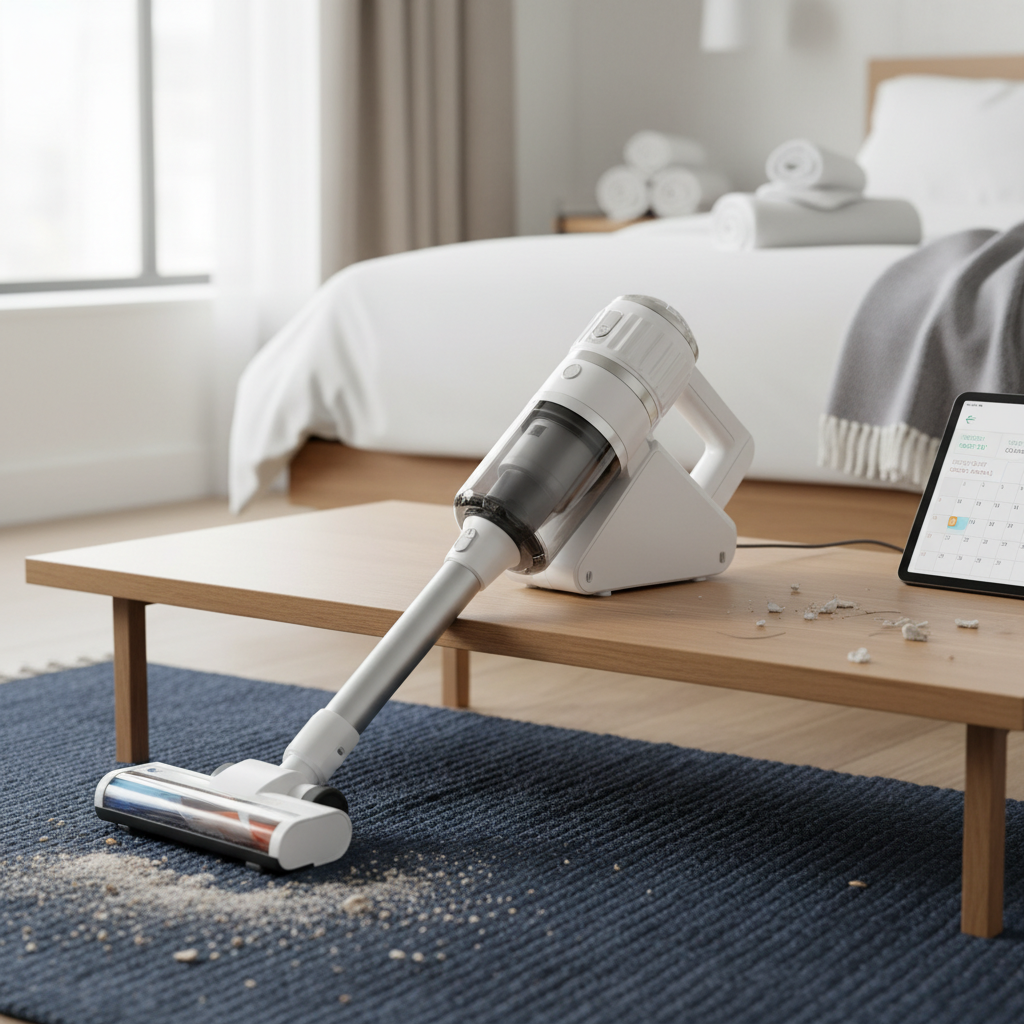
Is dust quietly choking your PC’s performance and shortening its lifespan? Many computer enthusiasts and casual users alike overlook the critical importance of regular internal cleaning, allowing dust and debris to accumulate and degrade their system. While compressed air cans offer a quick fix, they often just push dust around, not truly remove it. A specialized handheld vacuum cleaner, however, provides a superior, more thorough, and safer solution for maintaining a pristine PC tower.
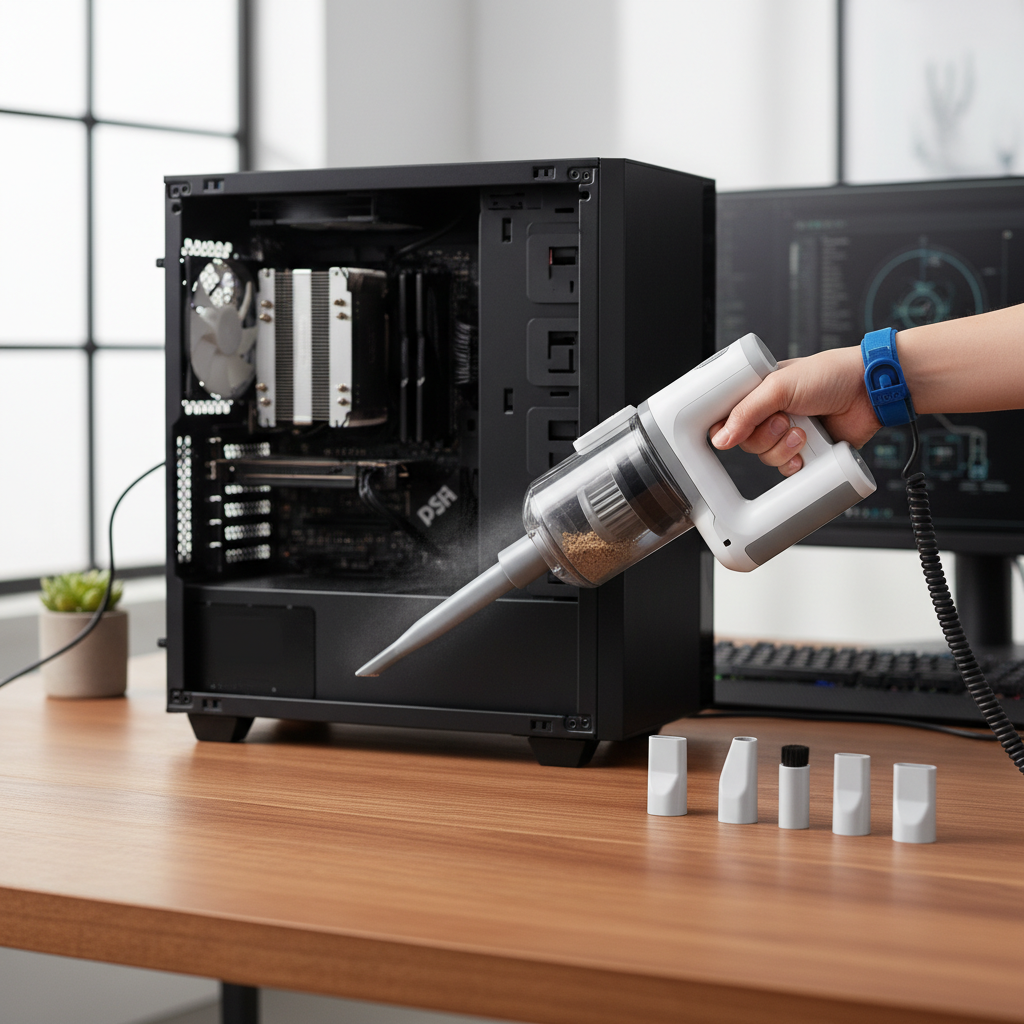
This comprehensive guide will delve into why handheld vacuums are the ultimate tool for PC maintenance, what features to prioritize, compare them with traditional cleaning methods, highlight top models, and provide step-by-step instructions for safe and effective use. Let’s explore how to keep your PC running cooler, faster, and longer with the right cleaning arsenal.
Handheld Vacuum Cleaners: Your Ultimate PC Cleaning Companion
Handheld vacuum cleaners have emerged as an indispensable tool for anyone serious about PC maintenance. Their design and functionality make them uniquely suited for the intricate task of cleaning delicate electronic components and tight spaces within a PC tower, offering benefits that other methods simply can’t match.
Why Handheld Vacuums Excel for PC Cleaning
The distinct advantages of handheld vacuums make them a clear winner for keeping your PC dust-free.
- Convenience and Portability: These compact devices are incredibly easy to maneuver, allowing you to reach every nook and cranny of your PC tower, including challenging areas behind cables and inside fan shrouds. Cordless models offer unparalleled freedom of movement, eliminating the hassle of searching for power outlets.
- Effective Dust Removal: Unlike compressed air, which often blasts dust into other parts of your system or into the surrounding room, handheld vacuums actively extract debris. This ensures that dust is permanently removed from your PC, rather than merely relocated, leading to a genuinely cleaner environment inside the case.
- Precision Cleaning: Equipped with a variety of specialized attachments, handheld vacuums allow for targeted cleaning. Fine brush nozzles gently dislodge dust from sensitive components, while crevice tools can reach deep into heatsinks, motherboard gaps, and intricate ports without causing damage.
- Versatility: While perfect for PC towers, these vacuums are also excellent for cleaning other electronics and small spaces. Keyboards, laptops, game consoles, printers, and even car interiors can benefit from the same precision and dust-removing power, making them a versatile investment.
|
Our Picks for the Best Handheld vacuum cleaner in 2026
As an Amazon Associate I earn from qualifying purchases.
|
||
| Num | Product | Action |
|---|---|---|
| 1 | Gxzsk Handheld Vacuum Cordless, 15000PA Strong Suction Hand Held Car Vacuum Cleaner Rechargeable, Portable Hand Vacuum with Multi-Nozzles & Washable Filter for Home Office, Car, Pets |

|
| 2 | Handheld Vacuum Cleaner, 28000Pa Brushless Motor Cordless Car Vacuum Cleaner, 3-Speed Mini Hoovers with Multiple Brush Heads Hand Held Vacuum Cordless for Office, Home, Kitchen, Car, Pet Hair |
|
| 3 | BLACK+DECKER dustbuster AdvancedClean Handheld Vacuum Cordless, Compact Home and Car Vacuum with Crevice Tool, Rotating Nozzle and Charging Station, Large Dust Bowl (CHV1410L) |
|
| 4 | Handheld Vacuum Cordless, Car Vacuums Powerful with Rechargeable Battery, Portable Hand Held Vacuum Cordless with Washable HEPA Filter, Mini Vacuums Kit for Men and Women |
|
| 5 | Bissell Pet Hair Eraser Cordless Hand Vacuum, Lithium Ion, Home, Auto, and Pet Vacuum, Easy-Empty Dirt Bin, Upholstery Tool, Brush Tool, and Crevice Tool Included, 2390A |
|
| 6 | KMM Handheld Car Vacuum Cleaner, 9000Pa Vacuum Cleaner and Air Duster, 120W High Power Hand Held Vacuum with LED Light and Multi-Nozzles for Car, Home, Office, Pet |
|
| 7 | MONOZEL Car Vacuum Portable Cordless, 18000Pa 2 in 1 Vacuum Cleaner&Air Duster, 130W Brushless Motor Handheld Vacuum Cordless with 7800mAh Battery, LED Light, Multi-Nozzles for Car, Home, Office, Pet |
|
| 8 | BLACK+DECKER dustbuster Cordless Handheld Vacuum, Portable Vacuum for Car and Home Rechargeable, Powerful Suction, Wide Mouth (HHVI315JO42) |
|
| 9 | BLACK+DECKER dustbuster Cordless Handheld Vacuum, Portable Car Vacuum Cordless Rechargeable, Wall Mount, Strong Suction QuickClean (HNVC215B10) |
|
| 10 | CKIKH Handheld Vacuum Cordless, 15000PA Strong Suction Hand Held Car Vacuum Cleaner Portable with Multi-Nozzles & Washable Filter, Lightweight Rechargeable Vacuum Cleaner for Home, Car, Office, Pets |
|
Key Features to Look for in a PC Cleaning Handheld Vacuum
Selecting the right handheld vacuum for your PC tower involves understanding the specific features that ensure both effectiveness and safety for delicate electronics.
- Adjustable Suction Power: This is paramount for PC cleaning. High suction might dislodge small components or cause damage. Look for models with multiple power settings, allowing you to use a gentle touch for sensitive areas like circuit boards and a stronger suction for less delicate surfaces like case panels or fan grilles.
- Specialized Attachments: Essential tools include:
- Crevice Tool: For reaching tight spots between components and into ports.
- Brush Nozzle: With soft bristles to gently sweep and vacuum dust from fan blades, heatsinks, and delicate circuit boards without scratching.
- Flexible Hose (Optional): Can offer greater reach and maneuverability in very confined spaces.
- Anti-Static Design/Attachments: Static electricity (ESD) is a significant concern when cleaning electronics, as it can damage sensitive components. Opt for vacuums with anti-static properties or, more commonly, use plastic attachments to minimize the risk of static discharge. Grounding yourself before and during the cleaning process further enhances safety.
- Portability and Ergonomics: A lightweight and cordless design greatly enhances the user experience. Look for a vacuum that feels comfortable in your hand, allowing for extended cleaning sessions without fatigue, and is easy to maneuver inside a PC case.
- Filtration System: A good filtration system, ideally with a HEPA filter, is beneficial for trapping fine dust particles and allergens. This prevents dust from being exhausted back into the air and keeps the vacuum’s motor running cleanly.
- Battery Life (for cordless models): Ensure the battery provides sufficient runtime for a thorough cleaning of your PC tower, which might take 20-40 minutes depending on the level of dust. Lithium-ion batteries are generally preferred for their quick charging and consistent power output.
- Blower Function (Optional but Recommended): Many modern handheld vacuums for electronics offer a dual vacuum and blower function. The blower can be incredibly useful for dislodging stubborn dust from heatsink fins or other areas before vacuuming it away, providing a more comprehensive cleaning solution.
Comparison: Handheld Vacuum vs. Compressed Air
When it comes to cleaning PC towers, a common debate arises between using handheld vacuums and traditional compressed air cans. Understanding the differences is key to making an informed choice.
Handheld vacuums primarily remove dust. This is their greatest strength. They suck dust and debris directly into a container, preventing it from recirculating and settling elsewhere within your PC or room. This leads to a genuinely cleaner system. They are also a one-time investment that saves money over time compared to continuously buying compressed air cans. Moreover, electric dusters or vacuums with a blower function offer consistent air pressure without the risk of releasing cold propellant or moisture, which can be detrimental to electronics.
Compressed air, on the other hand, moves dust. While effective at dislodging surface dust and getting into tight spaces, it often simply pushes the dust deeper into components or blows it out of the PC, only for it to re-enter the system later. Cans can also run out quickly, become very cold during use, and may release moisture if used improperly or held upside down. While convenient for quick external dust blasts, it’s not the most thorough method for internal PC cleaning.
Many experts advocate for electric dusters or dual vacuum/blower units as the ideal compromise, combining the power to dislodge stubborn dust with the ability to vacuum it away efficiently.
“For thorough PC cleaning, a handheld vacuum that can truly extract dust, especially with anti-static features, outperforms traditional compressed air by a significant margin. You’re not just moving the problem; you’re eliminating it.” – Admin, ReviewerBil.com
Top Handheld Vacuums for Cleaning PC Towers
Based on performance, features, and suitability for sensitive electronics, several handheld vacuums stand out for PC tower cleaning.
- DataVac Dust Blower: Often an industry favorite, the DataVac is an electric duster that provides powerful, consistent airflow, outperforming many compressed air cans. While primarily a blower, some models offer vacuum capabilities and are praised for their robust build and ESD-safe design, making them excellent for dislodging dust without static risks.
- Eufy by Anker Cordless Handheld Vacuum: This lightweight and powerful option, often featuring around 5500Pa suction power, is well-regarded for its portability and effective dust removal. Its inclusion of a 2-in-1 crevice tool makes it highly suitable for reaching into the tight confines of a PC.
- Brigii Mini Vacuum: Known for being portable, cordless, and USB-rechargeable, the Brigii Mini comes with multiple nozzles, making it adept at cleaning keyboards, laptops, and the various components within a PC tower. Its compact size is a huge advantage for intricate work.
- PeroBuno Air Duster and Blower: This device often receives high marks for combining strong suction with an effective blower function. Its dual capability makes it incredibly versatile for both dislodging and then vacuuming up dust, ensuring a comprehensive clean.
When choosing, consider models that explicitly mention anti-static properties or come with a range of plastic attachments designed for electronics, as these mitigate the risk of ESD damage.
How to Safely Clean Your PC Tower with a Handheld Vacuum
Cleaning your PC tower requires careful attention to detail and safety precautions to protect its delicate components.
-
Preparation is Key:
- Power Down and Unplug: Always turn off your PC completely and unplug it from the wall socket. This prevents electrical shock and accidental damage to components.
- Move to a Ventilated Area: Take your PC outside or to a well-ventilated space. You’re about to release a lot of dust, and you don’t want it settling back into your living area.
- Gather Tools: Have your chosen handheld vacuum, various attachments (crevice, brush), and possibly a few zip ties or cable management straps handy for later.
-
Static Electricity Prevention:
- Anti-Static Attachments: Use plastic attachments on your vacuum cleaner. These are less likely to generate or transfer static electricity compared to metal nozzles.
- Ground Yourself: While plastic attachments significantly reduce risk, if you’re particularly concerned, touch a grounded metal object (like the bare metal of your PC case) before starting to discharge any static electricity from your body.
- Avoid Contact: Do not let the vacuum nozzle or any part of the vacuum directly touch sensitive circuit boards or small components. Maintain a small distance.
-
Fan Care:
- Hold Fans Stationary: When vacuuming around case fans, CPU coolers, or GPU fans, gently hold the fan blades in place with your finger or a non-conductive object (like a plastic skewer). This prevents them from spinning rapidly, which can damage their bearings or generate harmful electrical currents.
-
Cleaning Technique:
- Start with Low Suction: Begin with the lowest suction setting and gradually increase it only if necessary for more stubborn dust in less delicate areas.
- Work Systematically: Start from the top of the PC case and work your way down, allowing gravity to assist in dust removal.
- Use the Right Attachment: Use the brush attachment for general dusting of components like the motherboard, RAM, and GPU. Utilize the crevice tool to get into tight spots, such as between RAM sticks, around CPU sockets, and inside power supply grilles.
- Power Supply: Pay special attention to the power supply unit (PSU). Dust buildup here can lead to overheating. If your PSU has a removable filter, clean that separately. Otherwise, gently vacuum its intake and exhaust vents.
- Dust Filters: Remove and thoroughly clean any dust filters on your PC case. These are often washable with water and mild soap, but ensure they are completely dry before reinstallation.
Maintenance Tips for Your PC Cleaning Vacuum
To ensure your handheld vacuum remains an effective tool, proper care and maintenance are crucial.
- Empty the Dustbin Regularly: After each significant cleaning session, empty the dust collection bin. This prevents performance loss and maintains hygiene.
- Clean or Replace Filters: Check and clean your vacuum’s filters according to the manufacturer’s instructions. Many are washable; ensure they are fully dry before reinserting. Replace filters periodically to maintain optimal suction and filtration efficiency.
- Charge Battery Properly: For cordless models, follow the manufacturer’s guidelines for charging to prolong battery lifespan. Avoid overcharging or completely draining the battery frequently.
- Store Properly: Keep your vacuum and its attachments in a clean, dry place, protected from extreme temperatures.
Conclusion
A well-chosen handheld vacuum cleaner is an indispensable asset for anyone looking to maintain a healthy, high-performing PC tower. By actively removing dust rather than simply displacing it, these specialized tools enhance cooling efficiency, extend hardware longevity, and contribute to a more stable computing experience. Features like adjustable suction, anti-static design, and a range of precision attachments make them uniquely suited for the delicate task of electronics cleaning. Investing in the right handheld vacuum and following safe cleaning practices will undoubtedly keep your PC running at its best, ensuring you get the most out of your valuable hardware.
What are your experiences with keeping your PC dust-free, and what innovations in cleaning tools are you most excited about?
Frequently Asked Questions
Is static electricity a real concern when vacuuming a PC?
Yes, static electricity (ESD) is a genuine concern when cleaning electronic components, as it can potentially damage sensitive parts. Using vacuums with anti-static features or plastic attachments and ensuring the PC is unplugged are crucial precautions to minimize this risk.
Can I use a regular household vacuum for my PC?
While possible, it’s generally not recommended to use a large, powerful household vacuum directly inside a PC tower. Their suction can be too strong, and metal attachments may generate static electricity or physically damage components. Specialized handheld vacuums designed for electronics offer adjustable suction and appropriate attachments for safer cleaning.
How often should I clean my PC tower?
The frequency depends on your environment. In dusty homes, with pets, or if you smoke, cleaning every 3-6 months is advisable. For cleaner environments, an annual deep clean may suffice, but regular external dusting and filter checks are always beneficial.
What’s the best attachment for cleaning inside a PC?
The best attachments are typically soft-bristled brush nozzles for gently sweeping dust from components and crevice tools for reaching tight spaces like heatsink fins, motherboard gaps, and ports. Both should ideally be made of non-conductive plastic to minimize static risks.