A failing battery can quickly turn your trusty handheld vacuum into a frustrating paperweight. That sudden loss of power or drastically reduced runtime signals one thing: it’s time for a battery refresh. Instead of discarding a perfectly good vacuum, learning how to replace your handheld vacuum battery yourself is a smart, cost-effective, and environmentally friendly solution. This comprehensive guide will walk you through everything you need to know, from identifying a dying battery to safely installing a new one and extending its lifespan.
Is Your Handheld Vacuum Battery Truly Failing?
Before diving into a replacement, it’s wise to confirm that the battery is indeed the culprit. Many users jump to conclusions, but other issues might be affecting performance. Typical signs of a failing handheld vacuum battery include a significant reduction in runtime, noticeable loss of suction power even on a full charge, or the vacuum failing to hold a charge at all. Some models may also display flashing indicator lights as a warning.
However, sometimes reduced performance isn’t battery-related. Always check your vacuum’s charger to ensure it’s functioning correctly, as a faulty charger won’t deliver the necessary power. Additionally, ensure there are no blockages in the nozzle, hose, or filter that could be impeding suction and making the motor work harder, draining the battery faster. Trying different power settings can also help diagnose if the issue persists across all modes.
Understanding Handheld Vacuum Battery Types and Identification
Handheld vacuum cleaners typically utilize one of three main battery chemistries: Nickel-Cadmium (NiCd), Nickel-Metal Hydride (NiMH), or Lithium-ion (Li-ion). Li-ion batteries are the most prevalent in modern cordless vacuums due to their higher energy density and lighter weight. Within Li-ion packs, you might find individual 18650 cells, which can sometimes be replaced by advanced DIYers.
It is crucial to correctly identify your vacuum’s battery type and specifications to ensure you purchase a compatible replacement. Look for labels on the existing battery pack or consult your vacuum’s user manual. Key specifications to note include voltage (V), amperage-hour (Ah or mAh), and the physical dimensions or form factor. Mismatched batteries can lead to performance issues, damage to your vacuum, or even safety hazards. Reputable manufacturers or specialized third-party suppliers are generally the best sources for compatible replacement batteries.
Essential Tools and Safety First
Approaching any DIY repair with the right tools and a strong focus on safety is paramount, especially when dealing with electronics and batteries. Most handheld vacuum battery replacements are straightforward, but some models may present unique challenges.
Here’s what you’ll typically need:
- Phillips Head Screwdriver: Often with a magnetic tip to prevent losing tiny screws.
- Flathead Screwdriver: Useful for prying open stubborn casings or connectors.
- Pry Tools: Non-marring plastic pry tools can help separate plastic housings without damage.
- Safety Gloves: To protect your hands from sharp edges or potential battery leakage.
- Safety Glasses: Essential eye protection against unexpected debris or chemical splashes.
- Your Vacuum Cleaner’s User Manual: Always refer to this for model-specific instructions and warnings.
“Safety is not just a recommendation; it’s a prerequisite for any battery-related DIY project. Always disconnect power and wear appropriate protective gear.” – Admin, ReviewerBil.com, Handheld Vacuum Expert
Before you begin, always ensure your handheld vacuum is switched off and completely disconnected from any power source or charging dock. Wear your safety glasses and gloves throughout the entire process. Handle the old battery carefully to avoid any physical damage or accidental short-circuiting of its terminals. Proper precautions minimize risks and ensure a smooth replacement.
Step-by-Step Guide: Replacing Your Handheld Vacuum Battery
Replacing your handheld vacuum battery can be a straightforward process, often requiring only a few common tools. While specific steps can vary by model, the general procedure remains consistent.
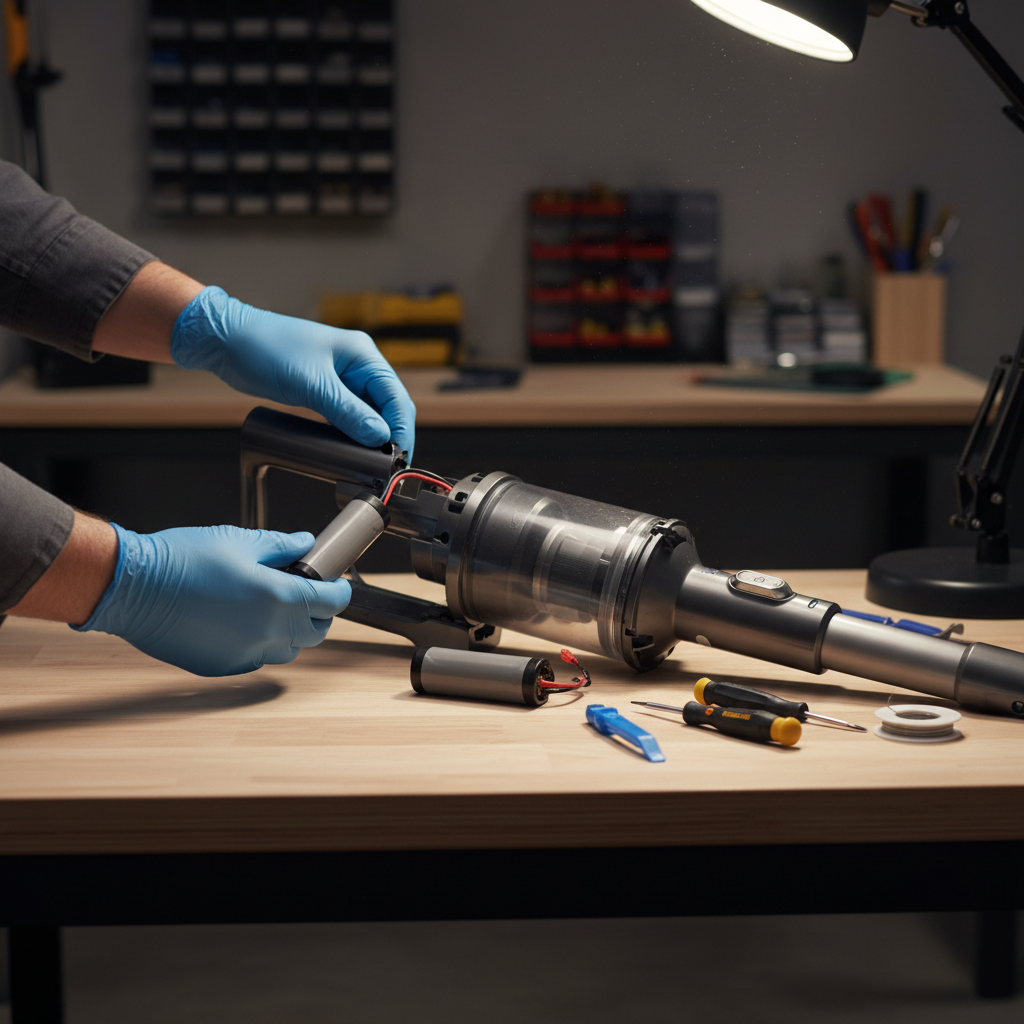
- Preparation: Set up a clean, well-lit workspace. Lay out all your tools and the new replacement battery. Having your vacuum’s user manual handy can be invaluable for locating screws or specific battery compartment details.
- Access the Battery Compartment: Many handheld vacuums, especially stick models like Dyson, require removing the wand and dustbin first. For Dyson V7/V8 models, this involves pressing buttons to detach the wand, then releasing the dustbin by pushing a catch. Once the main body is exposed, locate the screws securing the battery compartment. These are often Phillips head screws, sometimes discreetly placed in the handle or near the base. Carefully remove all screws and keep them in a safe place to prevent loss.
- Remove the Old Battery: Gently open the battery compartment. The old battery pack should now be visible. If there are any wires or connectors, carefully disconnect them, making a mental note or taking a photo of their configuration for reinstallation. Some batteries are simply clipped in, while others might have additional small screws or adhesive. Carefully lift out the old battery.
- Install the New Battery: Place the new battery into the compartment, ensuring it fits snugly. If there are wires, reconnect them to match the original configuration, ensuring all connections are secure. Avoid forcing anything.
- Secure the Compartment: Carefully close the battery compartment cover, making sure it aligns properly. Reinsert and tighten all the screws you removed earlier. Do not overtighten, as this can strip the screw threads or damage the plastic casing.
- Reassemble Your Vacuum: Reattach any components you removed, such as the dustbin and wand, ensuring they click securely into place.
- Test the Vacuum Cleaner: Plug in your vacuum and allow the new battery to charge fully according to the manufacturer’s recommendations. Once charged, turn it on and test its functionality. Check for normal operation, consistent suction, and proper power indicators. If you encounter any issues, double-check all connections and ensure the battery is seated correctly.
Proper Disposal and Battery Maintenance Tips
Successfully replacing your handheld vacuum battery is only half the battle; proper disposal of the old battery and diligent maintenance of the new one are equally important for safety and longevity.
Proper Battery Disposal:
Old batteries should never be thrown into regular household trash due to their hazardous materials. Incorrect disposal can harm the environment and pose safety risks.
- Recycling Centers: Most communities have dedicated battery recycling programs or drop-off points. Check with your local waste management services or environmental agencies for guidelines.
- Retailer Programs: Some electronics retailers or battery suppliers offer take-back programs for used batteries.
Maintaining Your New Battery:
To maximize the lifespan and performance of your new handheld vacuum battery:
- Regular Charging: Avoid letting the battery fully discharge too frequently. While modern Li-ion batteries don’t suffer from the “memory effect” of older chemistries, consistently running them to empty can still reduce their overall lifespan.
- Optimal Storage: Store your handheld vacuum and its battery in a cool, dry place. Extreme temperatures, both hot and cold, can degrade battery health.
- Avoid Overcharging: While smart chargers prevent true “overcharging,” leaving your vacuum plugged in for extended periods after it’s fully charged can still stress the battery. Unplug it once it’s complete to promote long-term health.
Conclusion
Empowering yourself with the knowledge of how to replace your handheld vacuum battery is a valuable skill that offers significant benefits. Not only does it allow you to restore your vacuum’s peak performance, but it also saves money on buying a new appliance and contributes to reducing electronic waste. By following this DIY guide, prioritizing safety, and understanding your battery’s needs, you can confidently extend the life of your handheld vacuum cleaner. It’s a satisfying project that puts power back into your hands, quite literally!
Are you ready to tackle your handheld vacuum battery replacement and bring your cleaner back to life?
Frequently Asked Questions
How long does a handheld vacuum battery typically last?
|
Our Picks for the Best Handheld vacuum cleaner in 2026
As an Amazon Associate I earn from qualifying purchases.
|
||
| Num | Product | Action |
|---|---|---|
| 1 | BLACK+DECKER dustbuster Cordless Handheld Vacuum, Portable Car Vacuum Cordless Rechargeable, Wall Mount, Strong Suction QuickClean (HNVC215B10) |

|
| 2 | MONOZEL Car Vacuum Portable Cordless, 18000Pa 2 in 1 Vacuum Cleaner&Air Duster, 130W Brushless Motor Handheld Vacuum Cordless with 7800mAh Battery, LED Light, Multi-Nozzles for Car, Home, Office, Pet |
|
| 3 | Handheld Vacuum Cordless, Car Vacuums Powerful with Rechargeable Battery, Portable Hand Held Vacuum Cordless with Washable HEPA Filter, Mini Vacuums Kit for Men and Women |
|
| 4 | Handheld Vacuum Cleaner, 28000Pa Brushless Motor Cordless Car Vacuum Cleaner, 3-Speed Mini Hoovers with Multiple Brush Heads Hand Held Vacuum Cordless for Office, Home, Kitchen, Car, Pet Hair |
|
| 5 | CKIKH Handheld Vacuum Cordless, 15000PA Strong Suction Hand Held Car Vacuum Cleaner Portable with Multi-Nozzles & Washable Filter, Lightweight Rechargeable Vacuum Cleaner for Home, Car, Office, Pets |
|
| 6 | Gxzsk Handheld Vacuum Cordless, 15000PA Strong Suction Hand Held Car Vacuum Cleaner Rechargeable, Portable Hand Vacuum with Multi-Nozzles & Washable Filter for Home Office, Car, Pets |
|
| 7 | Bissell Pet Hair Eraser Cordless Hand Vacuum, Lithium Ion, Home, Auto, and Pet Vacuum, Easy-Empty Dirt Bin, Upholstery Tool, Brush Tool, and Crevice Tool Included, 2390A |
|
| 8 | KMM Handheld Car Vacuum Cleaner, 9000Pa Vacuum Cleaner and Air Duster, 120W High Power Hand Held Vacuum with LED Light and Multi-Nozzles for Car, Home, Office, Pet |
|
| 9 | BLACK+DECKER dustbuster Cordless Handheld Vacuum, Portable Vacuum for Car and Home Rechargeable, Powerful Suction, Wide Mouth (HHVI315JO42) |
|
| 10 | BLACK+DECKER dustbuster AdvancedClean Handheld Vacuum Cordless, Compact Home and Car Vacuum with Crevice Tool, Rotating Nozzle and Charging Station, Large Dust Bowl (CHV1410L) |
|
The lifespan of a handheld vacuum battery varies but generally ranges from 2 to 5 years, depending on the battery chemistry, usage frequency, and charging habits. Li-ion batteries often offer a longer overall lifespan compared to older NiCd or NiMH types.
Can I use any battery for my handheld vacuum?
No, you must use a replacement battery that is specifically compatible with your handheld vacuum model. This means matching the voltage (V), amperage-hour (Ah), and physical dimensions of the original battery to ensure proper fit, function, and safety.
Is it safe to replace my handheld vacuum battery myself?
Yes, replacing your handheld vacuum battery yourself is generally safe if you follow proper safety precautions, such as disconnecting power, wearing protective gear like gloves and glasses, and carefully handling the battery. Always consult your vacuum’s manual.
What’s the difference between replacing a battery pack and individual cells?
Replacing a battery pack involves swapping out the entire self-contained unit, which is typically a simpler process. Replacing individual cells (e.g., 18650 cells within a Li-ion pack) is a more advanced DIY task that often requires soldering and specialized tools.
Where can I recycle old handheld vacuum batteries?
Old handheld vacuum batteries should be recycled at designated battery recycling centers or drop-off points. Check with your local municipal waste management, electronics retailers, or environmental protection agencies for information on proper disposal in your area.